
An overview on how Lifeskills Link AI uses student responses to generate insights and follow-up questions that support student growth.
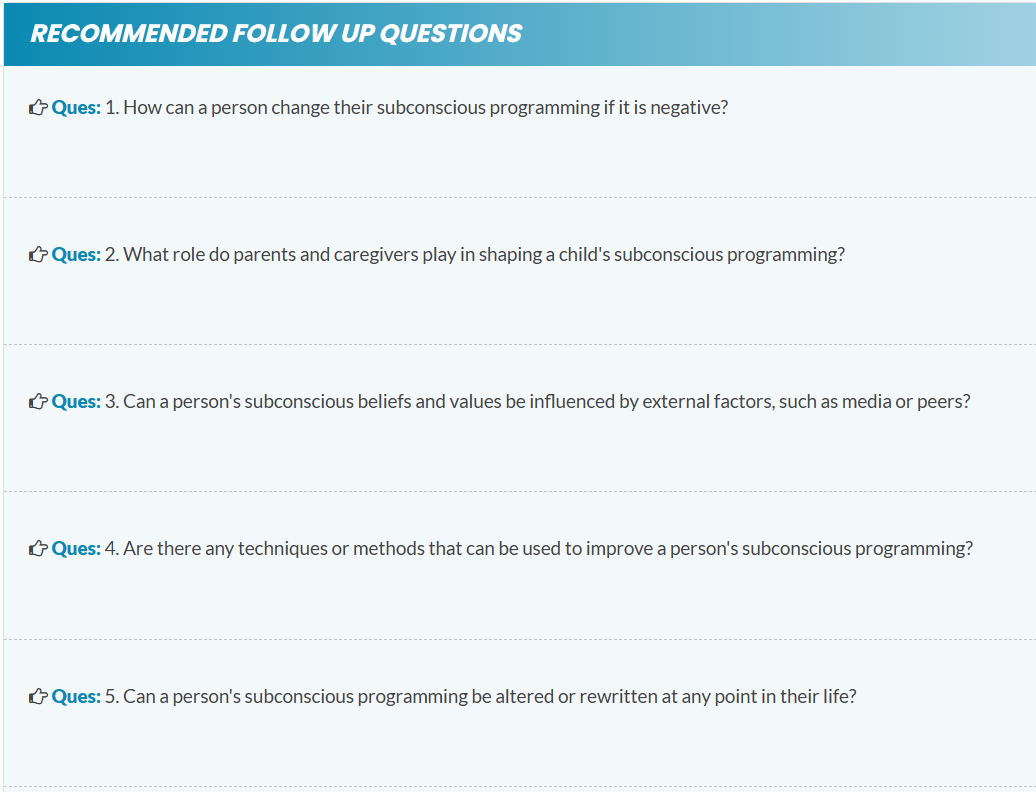
Step 1: Recommended follow-up questions
The Lifeskills Link AI generates recommended follow-up questions based on the student's responses. Our proprietary large language model crunches responses from hundreds of thousands of student responses and looks for patterns. These questions support deeper conversations and a clearer understanding of student thinking. This tool is designed to assist you in driving cognitive-behavioral skill development, leading towards better outcomes.
We welcome your feedback. You can help us shape and train the Lifeskills Link AI by giving any of the recommended questions a thumbs up or thumbs down and sharing effective follow-up questions that have been beneficial for you and your students.
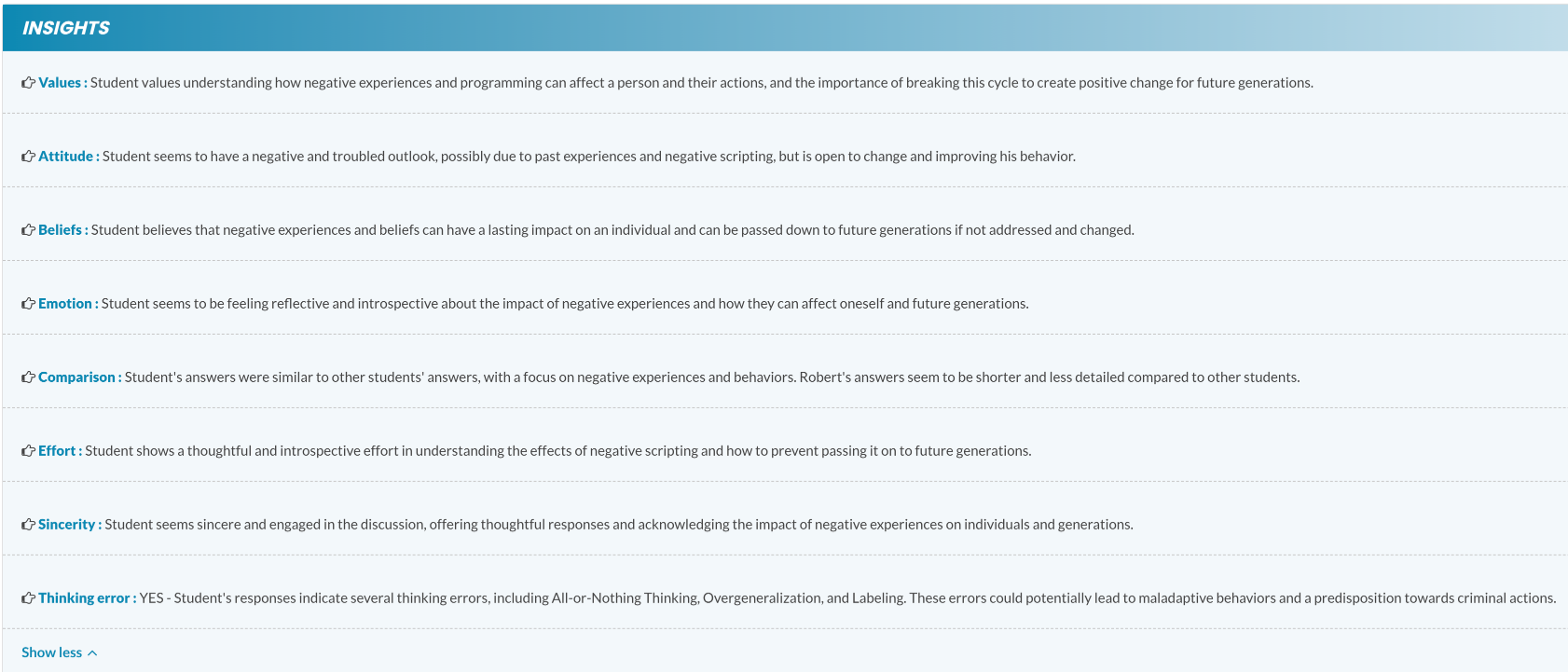
Step 2: Application and Skill Building Insights
By leveraging The Lifeskills Link AI to analyze student responses, we generate relevant insights that highlight both areas of strength and opportunities for growth. These application and skill-building insights allow admins to provide more personalized support, to maximize student’s comprehension and growth.
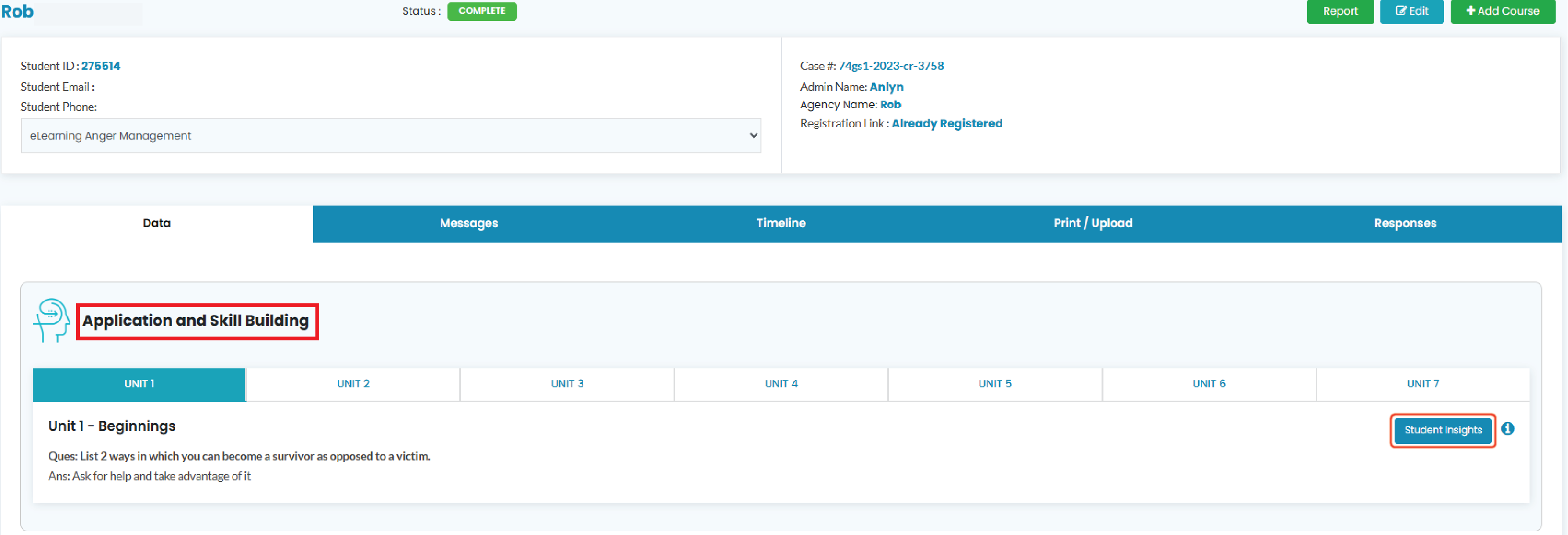
Step 3: To access student insights
Within the students profile navigate to the student insight button on the application and skill building tab.