What's New With Messages And Timelines?
You can now view a historical timeline for each student and don't forget to explore the enhancements in messages. This information is now being included in the progress and completion reports!


You can now view a historical timeline for each student and don't forget to explore the enhancements in messages. This information is now being included in the progress and completion reports!
Step 1: Messages
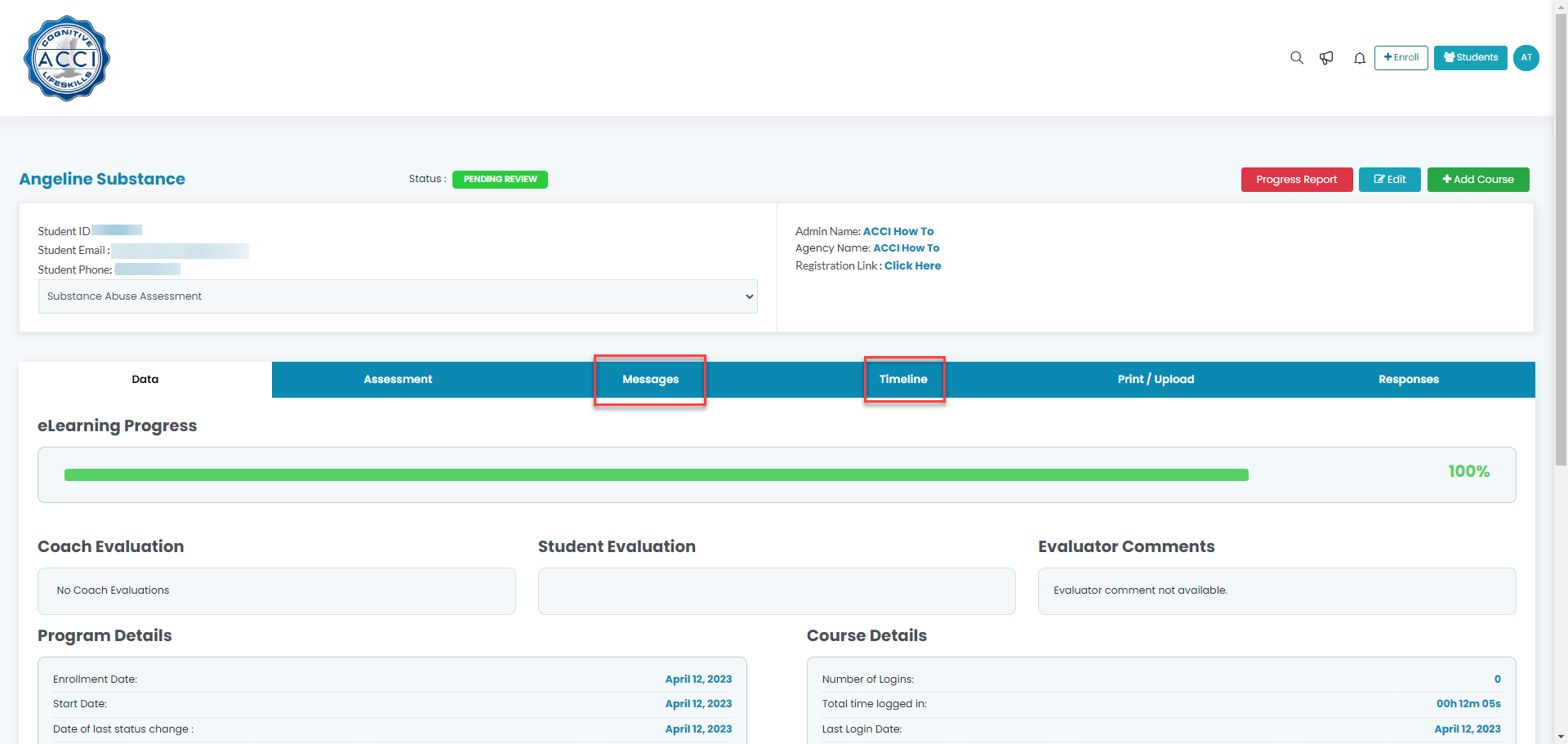
To message a student, contact an admin, or add information for historical records, simply click on "Messages" in the student's record.
Step 2: Timelines
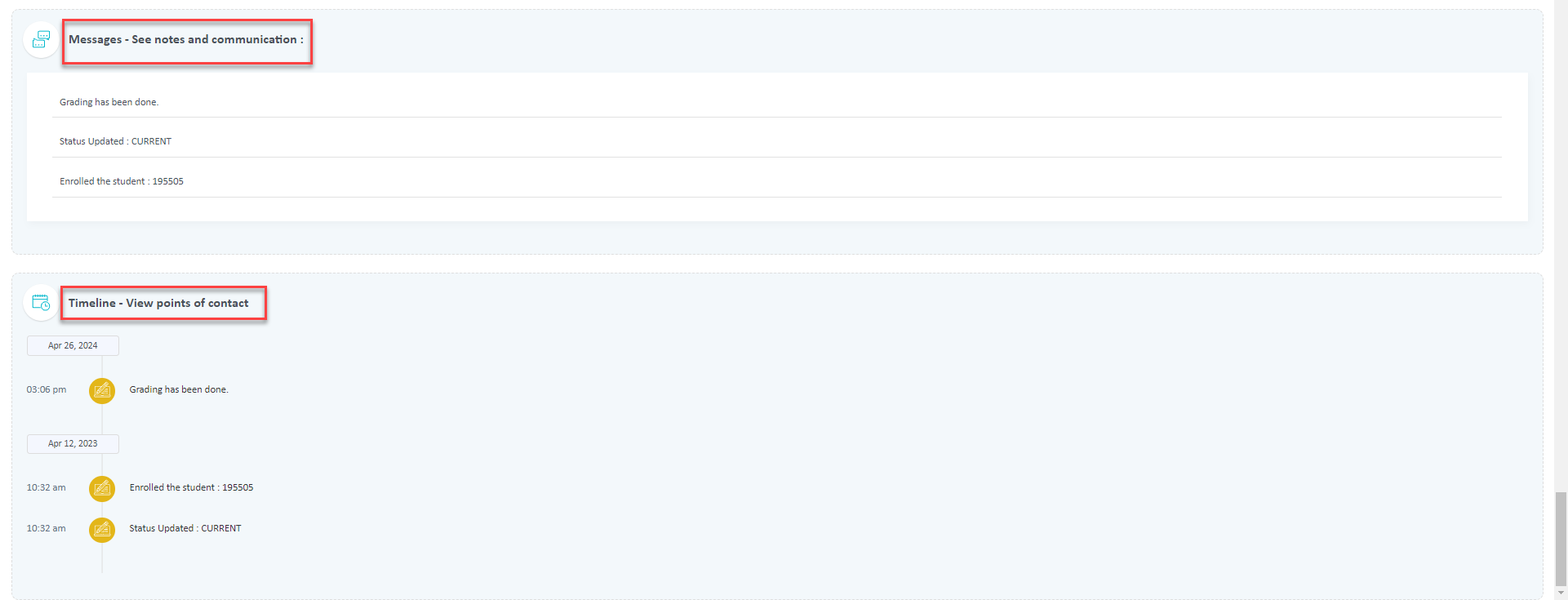
The timeline feature will let you view historical data related to each student. We've included colored icons with brief descriptions to make it easy to follow.
Step 3: Progress report student
When you create the progress report, you'll see these at the end of the report.